Sometimes we need a shortcut to This PC or a user folder, e.g. testing the system on a virtual machine, and the system without activation blocks the personalization.

This is a very simple and quick way to set a This PC and others shortcuts on the desktop without activating the system.
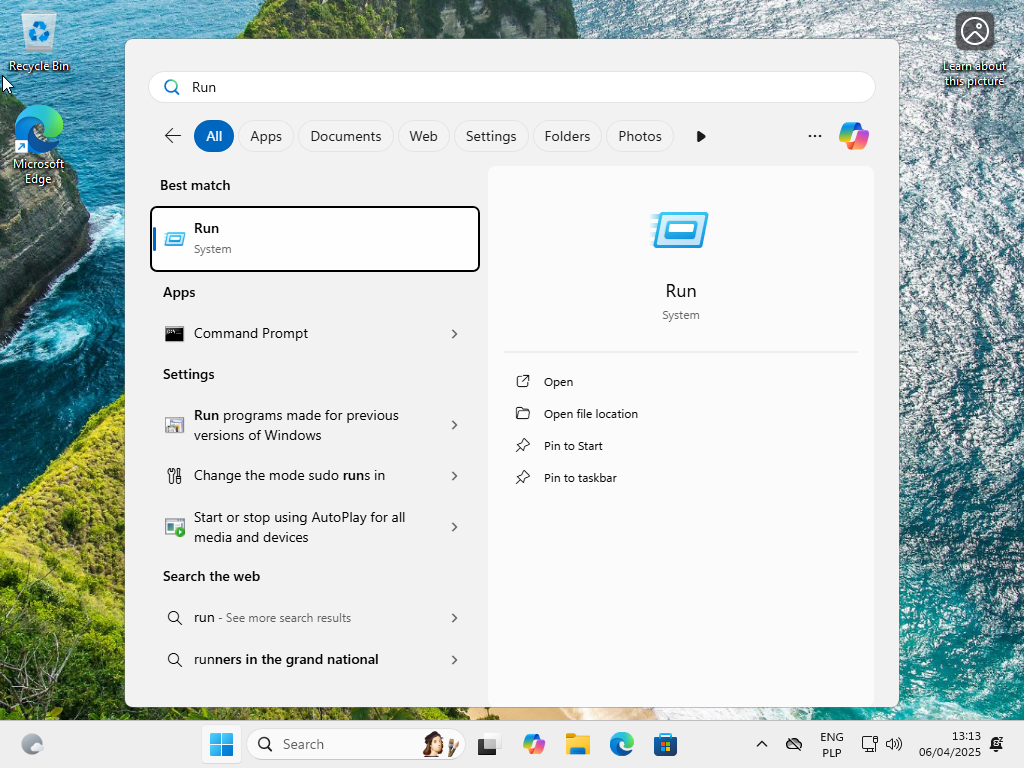
Step 1: Open the Run command.
Open the Start menu, type run and press Enter key. Or you can press the Windows key and the R key together.
Step 2: Run command to open the setting window.
Type the following command: control.exe desk.cpl,,0 and press Enter.
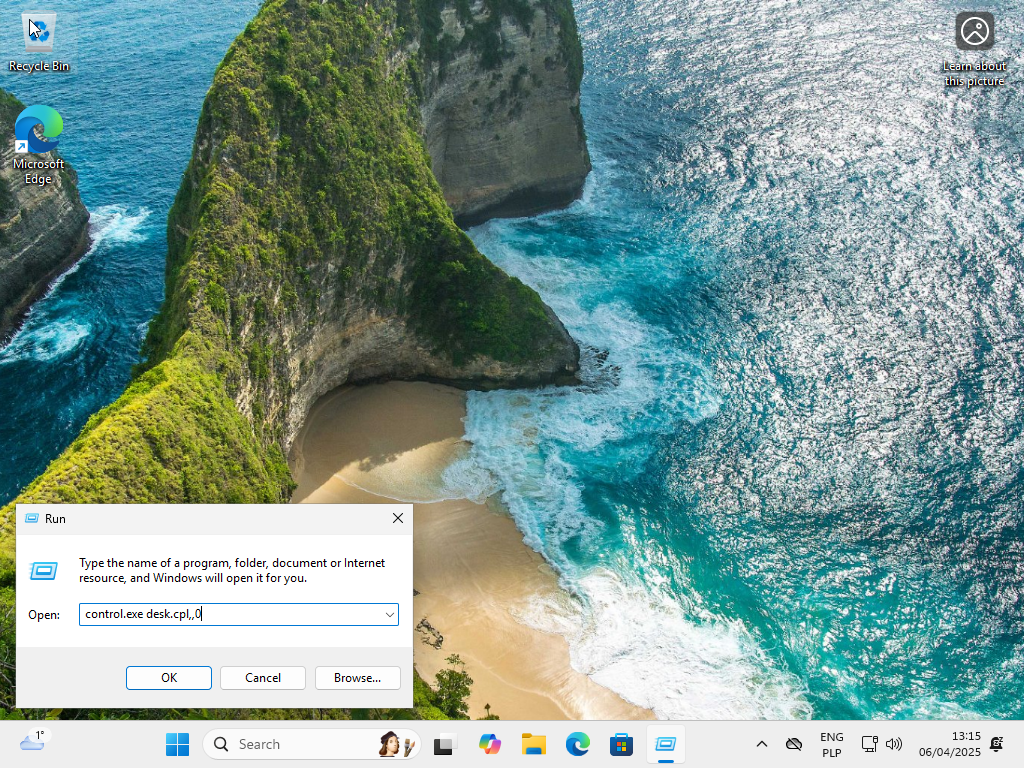
Step 3: Enable dektop icons.
Enable preferred desktop icons and click Apply.
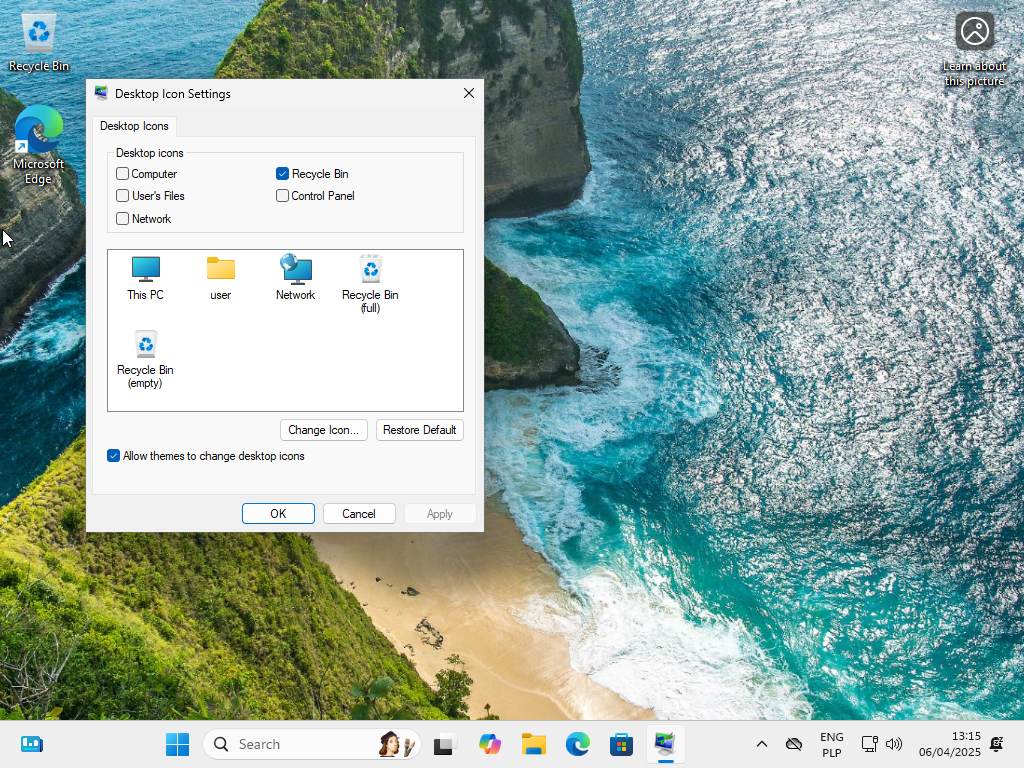
Changes on the desktop are visible immediately after applying.